System Selection
Choosing a POS system for an Australian business
Choose an Australian business POS by checking checkout workflows, plan limits, total costs, receipts and outage arrangements.
Choose a point of sale (POS) system by tracking a real sale through checkout, payment, receipt and correction. Start with your most common work, then check the exceptions staff handle. Compare features only after you know which tasks matter and which subscription includes them.
Start with the sale you make
A retailer may need to scan a size and colour variant, check stock at another location and return an online purchase in store. A café may need to change an order after sending it to the kitchen and split a table bill. A service business may need to apply an earlier deposit.
Write down a routine sale and two common exceptions before approaching vendors.
For each scenario, record what the customer sees, what staff enter, when payment is taken and which record the manager needs afterwards. Mark each requirement essential, useful or optional.
Compare the complete cost and setup
Ask for a quote covering subscriptions at every location, payment processing, add-ons, devices, setup, training and support. Check whether each demonstrated feature belongs to the quoted plan. Include likely costs such as adding another till or replacing a terminal.
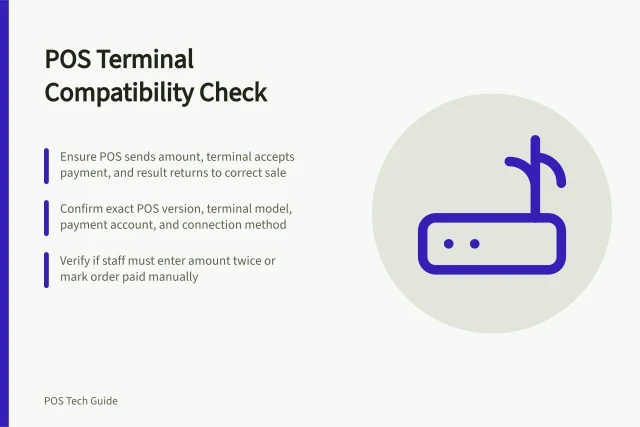
Confirm which payment arrangement works with the POS and what staff should do when a card payment fails. Inspect the proposed receipt.
If the business is registered for GST, have the person responsible for its tax records check whether the system can produce the documents it needs. A receipt and a tax invoice can overlap, but tax invoices have additional requirements.
Square’s Australian pricing lists in-person tap or insert at 1.6%, online at 2.2%, and manually entered or invoice payments at 2.2%. Afterpay is 6% plus 30c excluding GST. Custom pricing is available if you process more than $250,000 per year. Shopify’s listed in-person card rates start at 1.85% plus 0c on Basic, 1.75% plus 0c on Grow and 1.65% plus 0c on Advanced.
POS System Pricing Comparison for Australian Businesses
- Provider
- Square (Retail)
- Base Plan
- Free ($0/month)
- Plus Plan
- $109/month per location
- Premium Plan
- Custom pricing
- In-Person Card Rate
- 1.6% + processing fees
- Online Card Rate
- 2.2% + processing fees
- Manual/Invoice Payment
- 2.2% + processing fees
- Provider
- Shopify POS
- Basic Plan
- $56/month
- Grow Plan
- $149/month
- Advanced Plan
- $575/month
- Plus Plan
- $3,700/month (3-year term)
- POS Pro Location Add-On
- $129/month per location
- In-Person Card Rate (Basic)
- 1.85% + $0
- In-Person Card Rate (Grow)
- 1.75% + $0
- In-Person Card Rate (Advanced)
- 1.65% + $0
Receipt requirements to test
Under the Australian Consumer Law, you must give a receipt at the time of sale for purchases over $75 excluding GST. If the purchase is under $75 excluding GST, the customer can ask for a receipt, and you must give it within 7 days.
Every receipt must show your business name, ABN or ACN, the date of sale, details of the goods or services, and the price.
If you are registered for GST and issue a tax invoice as a receipt, it needs extra information beyond ordinary receipt fields.
For services, a customer can request an itemised bill for up to 30 days after the original bill or invoice. You must provide it free within 7 days, showing how the price was worked out, labour hours and hourly rate if relevant, materials used and the amount charged.
Australian POS Compliance and Operational Requirements
- Receipt Requirement Threshold
- Over $75 (excl. GST)
- Receipt Must Include
- Business name, ABN/ACN, date, goods/services, price
- Tax Invoice Additional Info
- GST amount, itemised breakdown, if applicable
- Itemised Bill Request Window
- Up to 30 days after original bill/invoice
- Response Time for Itemised Bill
- Within 7 days, free of charge
Use providers as candidates
Square offers retail and restaurant POS options. Its Australian retail plan table lists product options and basic inventory tools on Free, with advanced inventory tools and barcode-label printing on Plus.
Its restaurant plan table lists open bills and table management. Plus includes course management and unlimited Square KDS devices. Confirm the mode, subscription and devices in the quote.
Shopify POS may suit a business that wants its store and online sales connected. Shopify describes shared in-store and online inventory, while its Australian POS pricing page distinguishes included in-person selling from POS Pro.
Shopify’s Australian POS pricing page lists staff roles and permissions, inventory management, and returns at any location with Shopify Plus. Check the base plan, Pro locations and supported payment hardware when comparing costs.
Give kitchen handoffs more weight for a restaurant and product variants more weight for a retailer. If appointments or deposits dominate checkout, ask to see that exact path.
Square’s Australian retail plan table lists Free at $0 plus processing fees, Plus at $109 per month per location plus processing fees, and Premium at custom pricing. Its restaurant table lists Free at $0 per month plus processing fees and Plus at $129 per month per location plus processing fees, with mobile POS adding $50 per month per location.
Shopify’s Australian POS pricing lists Basic from $56 AUD per month, Grow from $149 AUD, Advanced from $575 AUD, and Plus from $3,700 AUD per month on a three-year term. Each POS Pro location adds $129 AUD per month.
Check continuity and exit
Ask what staff can do if the internet, provider service or payment terminal is unavailable. Offline capability depends on the app, device, payment method and configuration. Square’s Australian guidance allows offline cash and card payments from most major card brands, subject to settings and time limits.
Shopify’s guidance allows cash and configured manual payments offline, but customer search and returns need a connection. Offline card payments may not be captured until the POS device reconnects to the internet.
Request sample exports of products, transactions and customer records in the formats available if you leave. Check who handles setup, staff training and support during the first trading week.
Square’s Australian support guidance says offline payments are stored in the POS app and process automatically when the device reconnects within 24 hours, and no later than 72 hours. Afterpay, Square Gift Cards, Tap to Pay on iPhone and Android, and manually entered card numbers are unavailable offline. From March 2026, Square will notify sellers to review offline payment settings.
Decide from one worksheet
Give each candidate the same scenarios. Record whether it completes each path, any manual steps, the required plan and hardware, unresolved limitations and the quoted total cost.
Ask staff who will use the till to review the checkout path. Resolve any essential task that depends on an unquoted add-on or unclear workaround before choosing.
POS System Evaluation Checklist for Australian Businesses
- Can the system handle a typical sale with product variants?Yes/No
- Can it process returns across multiple locations?Yes/No
- Does it support offline sales for cash and card?Yes/No
- Are receipts automatically generated and compliant with ACL?Yes/No
- Can tax invoices be issued from receipts where required?Yes/No
- Is there a clear exit strategy with data export capability?Yes/No
- Does the quoted plan include all necessary hardware and features?Yes/No
In this guide
- Retail POS versus hospitality POSCompare retail and hospitality POS workflows through products, stock, kitchen handoffs, open bills and plan limits.
- Defining checkout requirements before a POS demoPrepare a POS demo with real sale scenarios, proof for each requirement, configuration questions and a decision record.
- Comparing cloud POS with locally installed systemsCompare cloud and locally installed POS systems by connectivity, offline functions, recovery, updates and support responsibilities.