Payments & Reconciliation
Assigning permissions for refunds and discounts
Build POS permissions for discounts and refunds, define approval points and check restrictions on the actual plan and location.

Author
Jack Smith is the editorial byline assigned to this area. Subject: point-of-sale systems for Australian businesses. Practical guides, comparisons and the questions behind a choice form this editorial remit. Related coverage: Payments & Reconciliation; Inventory Features; Contracts & Replacement. Differences in scope matter as much as differences in the headline figures. This is an editorial pen name used by the publication, not a claim of an independently verified personal identity.
Payments & Reconciliation
Build POS permissions for discounts and refunds, define approval points and check restrictions on the actual plan and location.
System Selection
Compare staying and switching costs over one period, including migration, hardware, overlap, contracts and processing.
Payments & Reconciliation
Use a task-by-task check sheet for POS sales, payments, returns, peripherals and syncing when the internet is unavailable.
System Selection
Choose an Australian business POS by checking checkout workflows, plan limits, total costs, receipts and outage arrangements.
Hardware & Peripherals
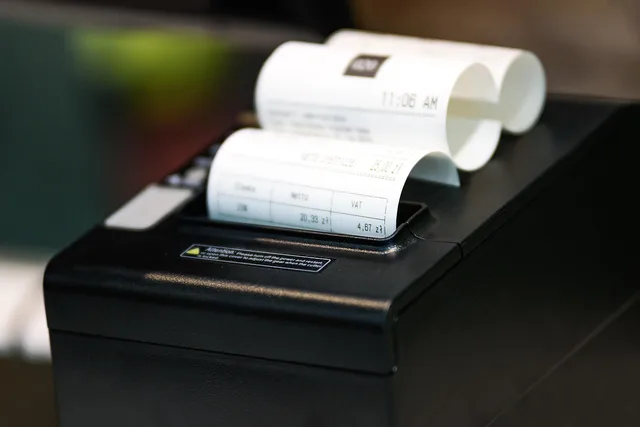
Check receipt printer model, connection, placement and cash-drawer needs against your Australian POS counter setup.
System Selection
Average basket value is useful only when the numerator and denominator refer to the same kind of sale.
System Selection
Compare cloud and locally installed POS systems by connectivity, offline functions, recovery, updates and support responsibilities.
Hardware & Peripherals
Compare complete POS counter setups, included hardware, payment requirements, support and reuse before buying.
System Selection
Prepare a POS demo with real sale scenarios, proof for each requirement, configuration questions and a decision record.
System Selection
Prepare a POS customer export, map fields and consent status, check a small import and handle order history separately.
System Selection
Find likely duplicate POS customers, verify identity and marketing preferences, and check irreversible merge limits before acting.
Payments & Reconciliation
Keep split payments on one sale, track the balance and handle a failed part without accidentally charging twice.
System Selection
Build a one-page counter backup plan with a shift lead, approved payment routes, sale records and a recovery handover.
Multi-store Operations
Plan shared product data, stock transfers, branch access and POS updates across Australian store locations.
System Selection
A hospitality POS should carry an order from counter or table to the right preparation station and then to an accurate bill.
System Selection
Compare service POS systems by checking appointment checkout, retail products, deposits and the meaning of sales and staff reports.
Hardware & Peripherals
Plan a POS counter setup by checking payment devices, receipt printers, drawers, scanners and label printers against the exact POS configuration.
Inventory Features
Compare POS stock quantities, receiving, counts, adjustments and alerts, including the plan and app limits that affect each workflow.
Payments & Reconciliation
Plan what staff can sell and how they can take payment when the internet, POS service or terminal fails, then check pending transactions after recovery.
System Selection
Set up clear POS product records, control price changes and promotions, and check the intended price at Australian checkouts.
Multi-store Operations
A POS dashboard can answer a simple question badly if the team has not agreed what each number means.
Multi-store Operations
A store total can hide a difficult shift, while a shift total can reflect a change in opening hours rather than staff performance.
Payments & Reconciliation
Check offline payment outcomes, synced orders and manual outage entries after the POS reconnects, with a clear exception record.
Inventory Features
Record the item, location, quantity change and known reason for a POS stock adjustment, then check its history without guessing the cause.
System Selection
Close a departing worker’s POS, admin and connected-service access, change shared secrets and check the result.
Payments & Reconciliation
Trace a missing, duplicated or changed order across its platform, POS and preparation record without hiding the original status.
System Selection
Compare retail and hospitality POS workflows through products, stock, kitchen handoffs, open bills and plan limits.
Multi-store Operations
Stage POS updates, check a pilot device group and schedule branch checks around trading hours and vendor limits.
Hardware & Peripherals
Kitchen routing should send each item to the team that prepares it, with clear updates when the order changes.
System Selection
Add retail products to a booked service checkout while keeping the receipt, product record and stock count clear.
Inventory Features
Decide which items need POS variants, assign SKUs and barcodes to the right records, and check what each scan adds to the cart.
Inventory Features
Match variants, stock states and fulfilment locations, then check how store and online orders change availability.
Payments & Reconciliation
Check the live menu, outlet mapping, order handoff and kitchen output before relying on a POS delivery connection.
Payments & Reconciliation
Teach casual staff when to correct, void, return or refund a sale, and when to seek manager approval.
Inventory Features
Plan dispatch, receipt and discrepancy handling for stock transfers between stores, with Square and Shopify workflow limits.