System Selection
POS for restaurants and cafés
A hospitality POS should carry an order from counter or table to the right preparation station and then to an accurate bill.
A hospitality POS should carry an order from counter or table to the right preparation station and then to an accurate bill. Choose by the service model and exception handling, not a long feature list. A café with rapid takeaway has different pressure points from a full-service restaurant with courses and split bills.
A starting shortlist for a café or small restaurant is Square for Restaurants and Lightspeed Restaurant; Zeller POS is another named option to compare. A specialist POS with Tyro is also identified for bars, pubs or high-volume venues, so match any candidate to your service model before weighing its features and cost.
Walk the service paths
Write three realistic orders: a counter coffee with a modifier, a table meal with a later addition, and a takeaway order arriving from another channel. Follow each through entry, kitchen routing, change, payment and close.
Square Australia describes table management, kitchen displays and split-bill options in its restaurant product; exact availability depends on mode, plan and configuration. Use it as an example and test the candidate system's current setup.
Follow each test order through the service path
- Order entryCounter coffee with a modifier, table meal or incoming takeaway order
- Kitchen routingWhich station receives the item, and how the change appears
- ChangesLater additions, cancelled items, moved tables
- PaymentSplit by seat, split by item or split by amount, plus tips
- CloseA clear record for the manager
Choose for the service model
For quick-service cafés, assess how quickly staff can enter orders and how clearly the POS supports pickup. Customisable order displays, menu photos, customer order-ready alerts and self-service kiosks are examples of features that can support this flow. Stock-based availability can also help prevent items being sold after they run out.
Square's restaurant offering names customisable displays, menu photos, order-ready alerts, stock-based availability and Square Kiosk for quick-service flows. Its product page also describes online and QR-code ordering, so include those channels in a trial if they matter to the venue.
For full-service dining, consider whether the system supports the way your team seats guests and serves courses. Table and seat management, a configurable floor plan and tools for timing courses address different operational needs from rapid counter service. Select based on what staff actually do, rather than paying for a mode that does not fit the venue.
Square's full-service features include coursing, table and seat management, floor-plan customisation and bill splitting. Its split-by-seat and split-by-item tools require Square for Restaurants Plus and full-service, fast-food service or bar mode, so check the plan and mode before counting them as available.
Match the POS mode to the service model
- Quick-service caféCustomisable order displays, menu photos, order-ready alerts, stock-based availability and Square Kiosk for fast counter and pickup flow
- Full-service diningCoursing, table and seat management, floor-plan customisation and bill splitting
Treat menus as operating controls
A POS menu can represent the items shown during a particular part of the day or shift. If the venue uses different menus at different times, check that the system can keep those versions organised and aligned with the menus customers see. Menu management may also cover multiple locations and sales channels from one account.
Square menus can manage items across POS, online ordering, kiosks and delivery apps such as DoorDash and Uber Eats. Item details can include descriptions, calories, dietary preferences and allergens, which can help staff answer customer questions.
Distinguish customer-facing menus from internal categories when comparing systems. Categories can organise sales reporting and determine kitchen routing, while menus control what customers see and when they see it. That distinction matters when the same item needs to appear in an online channel but route to a particular kitchen station.
Customer-facing menus versus internal categories
- Customer-facing menusControl what customers see and when, across POS, online ordering, kiosks and delivery apps such as DoorDash and Uber Eats
- Internal categoriesOrganise sales reporting and determine which kitchen station an item routes to
Make the kitchen handoff visible
Check which items print or display at each station, how a modification appears and what happens if a device disconnects. A ticket that reaches the wrong printer can delay service even when the sale is recorded correctly. Square's help material shows that routing depends on device, source and item-category settings. Ask vendors to run a mixed order on the hardware you intend to use.
For Square KDS, missing-order checks include device codes, order routing, kitchen-category assignments and the POS-to-KDS connection. Test the equivalent handoff on any shortlisted system before relying on it during service.
Square KDS missing-order checks to test on any system
- Device codesConfirm each display or printer is correctly identified
- Order routingCheck where each item is sent
- Kitchen-category assignmentsConfirm the category each item maps to
- POS-to-KDS connectionVerify the link between the till and the kitchen display
Include hardware and total cost
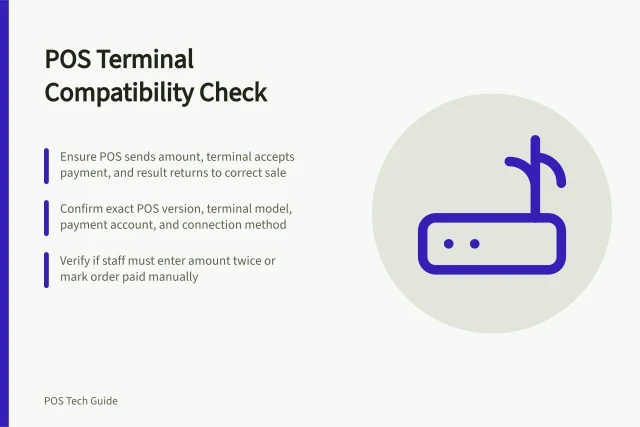
List the equipment the service flow needs: a POS display, EFTPOS machine, receipt printer, kitchen display and cash drawer are possible components. The right combination depends on the venue. Confirm compatibility before buying devices separately, even where hardware is standardised or can be reused with another provider.
One specific compatibility example is Zeller POS, which can connect a LAN-based ESC-P compliant receipt printer such as a Star Micronics or Epson model; the printer can connect to a cash drawer by cable. Check compatibility for the exact equipment you plan to use.
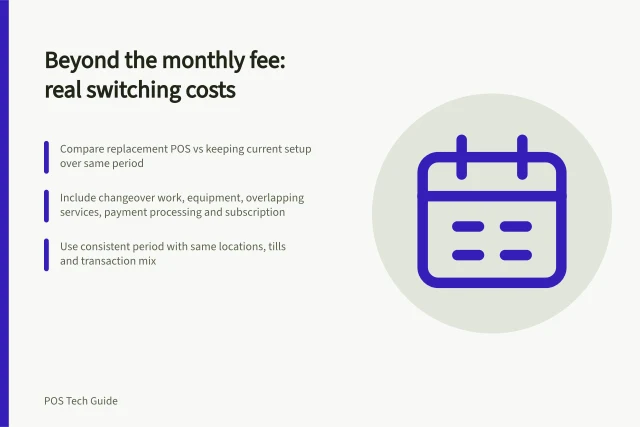
Compare the full operating cost rather than the software charge alone. Monthly fees, hardware and add-ons can all contribute, so identify which features the venue needs and which would be unused extras. Check whether the provider requires a contract or offers a no-lock-in arrangement before committing.
As a starting budget, free plans from Square and Zeller cover most micro-businesses; paid retail and hospitality plans run roughly $79-$359 a month per location, with extra registers costing more (as at September 2026).
Hardware benchmarks are $65-$99 for a card reader paired with a phone, $99-$419 for an all-in-one terminal with a screen and receipt printer, and $1,000 or more for a full countertop register. In-person card rates range from 1.2% to 1.95%.
At $200,000 of annual card sales, a 1.4% rather than 1.9% processing rate means a $1,000 difference per year. From 1 October 2026, surcharging is removed on eftpos, Visa and Mastercard debit, prepaid and credit cards under the card-network reforms, so account for card acceptance costs in the venue's margins.
Check integrations against the systems the business already relies on, including accounting and payments software. A POS that cannot exchange information with those tools can add manual work.
Xero and MYOB links are named for Hike, which is described as a retail option; this does not establish restaurant suitability. Tyro is named as the payments provider behind a specialist POS option for bars, pubs and high-volume venues, so confirm compatibility for the proposed setup.
Ask what local support is available and whether it operates around the clock, particularly if the venue trades outside standard business hours.
Compare channel and stock control
If customers can order in-store, online, by kiosk or through delivery apps, check whether the POS can manage menu availability and item details across those channels. A central menu can reduce the need to maintain separate versions, but confirm how channel and location assignments work for the specific system.
Availability controls are particularly relevant when an item is limited by stock. Some systems can update menu availability and counts as stock changes, helping reduce overselling. Treat this as a capability to verify in the proposed setup, not an assumption about every POS.
Keep the menu and bill understandable
Modifiers should reflect real choices and restrictions: milk type, cooking preference, add-ons and omissions. Check the cost and kitchen wording of each. Then test split-by-seat, split-by-item, partial payment and tips where relevant. Square's more granular split features have plan and mode limits; do not assume every restaurant POS offers them identically.
Square distinguishes splitting a bill by item or seat from splitting a payment by amount; its bill-splitting features have plan and mode requirements. Confirm the specific options the venue needs rather than treating “split bills” as one uniform capability.
Finish the trial with a busy-period recovery scenario: a missed ticket, cancelled item, moved table or offline device. The right system is the one staff can operate accurately under pressure, with a clear record for the manager.
Two different kinds of splitting
- Split by item or by seatRequires Square for Restaurants Plus and full-service, fast-food service or bar mode
- Split a payment by amountA separate function from splitting a bill by item or seat, and confirmed on its own terms
Rank the decision criteria
Before comparing providers, rank the venue's priorities: order speed, kitchen handoff, menu control, table service, payment flexibility, hardware fit, integrations and ongoing cost. Use the same service scenarios for each shortlisted system so the comparison reflects the venue's actual work rather than a vendor's feature list.
Give particular weight to any capability that prevents a recurring problem, such as wrong-station tickets or unavailable items still appearing for sale. Treat optional features as secondary unless they solve a defined need.
Criteria to rank before comparing providers
- Order speed
- Kitchen handoff
- Menu control
- Table service
- Payment flexibility
- Hardware fit
- Integrations
- Ongoing cost
In this guide
- Routing orders to kitchen printers or displaysKitchen routing should send each item to the team that prepares it, with clear updates when the order changes.
- Handling menu modifiers without confusing staffMenu modifiers should help staff record a genuine choice and help the kitchen prepare it correctly.
- Managing split bills and tips in hospitality POSSplit bills and tips need a tested flow before the first busy service.